


Fully Standalone Scanning
Scan without a laptop, power cable, or data cable. Leo processes and displays scan data directly on the scanner.


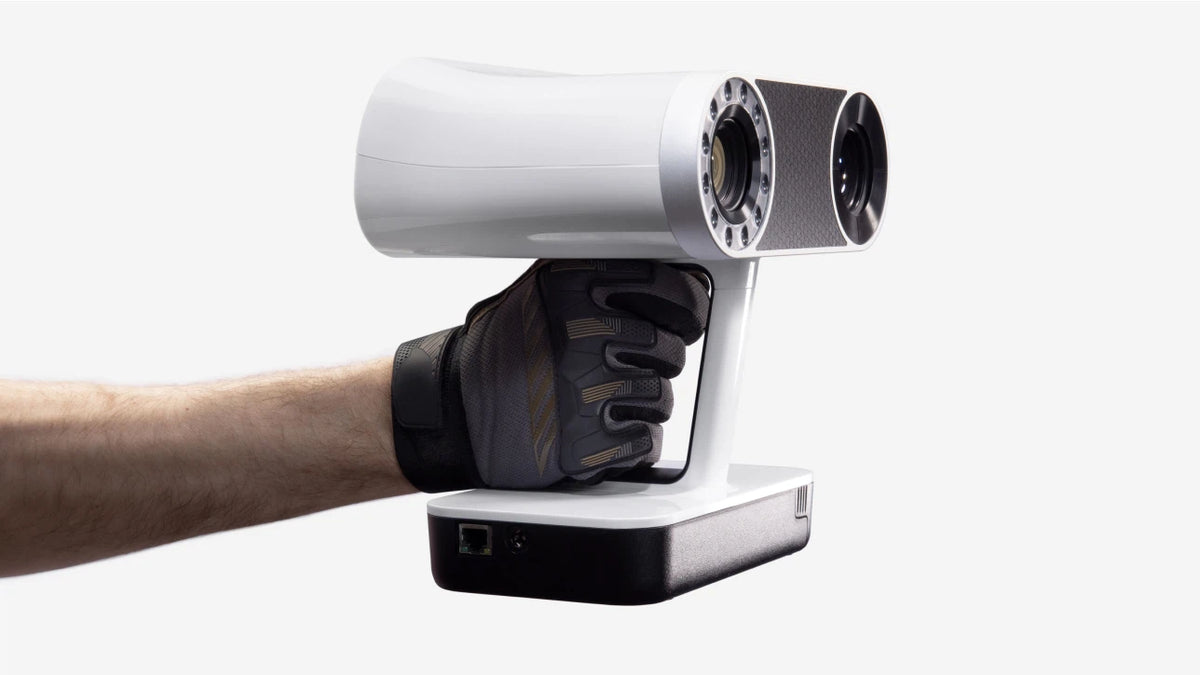
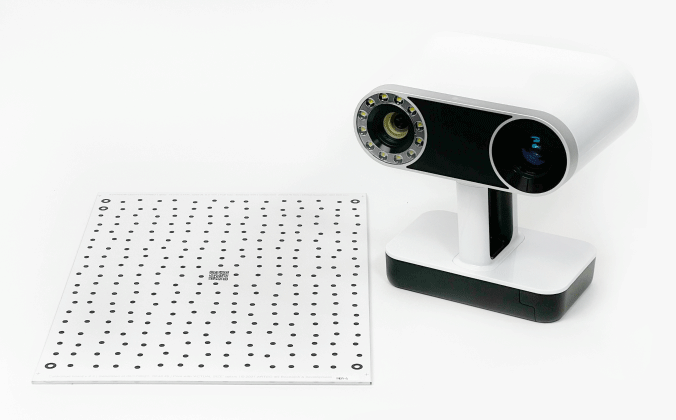
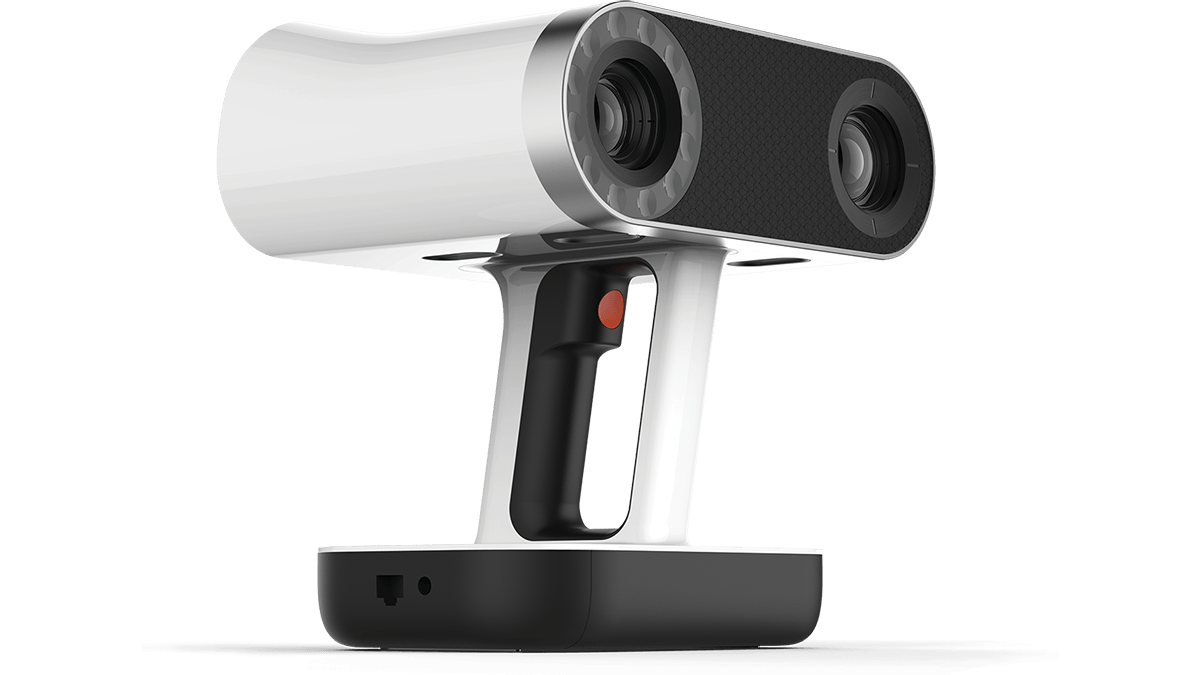
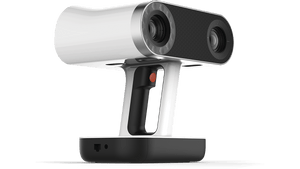

Artec Leo is a fully wireless, standalone professional 3D scanner with onboard processing, a built-in touchscreen, exchangeable battery, and real-time 3D model visualization. It is designed for fast, accurate scanning of automotive parts, machinery, people, and industrial components without being tethered to a computer.
Leo combines scanning, onboard processing, a built-in display, Wi-Fi, battery power, and real-time feedback in one professional handheld system.
Scan without a laptop, power cable, or data cable. Leo processes and displays scan data directly on the scanner.
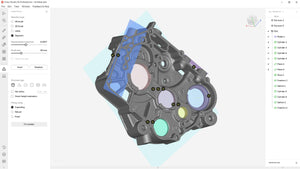
See the model develop live on the touchscreen and identify areas that still need coverage.
Capture up to 35 million points per second in HD workflows for rapid digitization of complex objects.
Hybrid geometry and texture tracking helps scan many parts without reflective targets.
Capture geometry and texture together with 2.3 MP color resolution.
Capture sharper edges, thin features, recessed geometry, and difficult surfaces with reduced noise.
Explore the wireless handheld scanner, calibration setup, and professional scan-processing workflow.
Scan around vehicles, machinery, people, and large parts without a laptop or data cable.
Standalone professional 3D scanning with onboard processing, battery power, and integrated display.
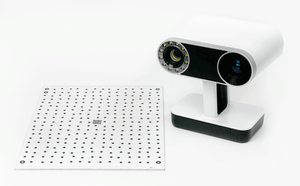
Use the Leo calibration kit to verify scanner performance and maintain measurement confidence.
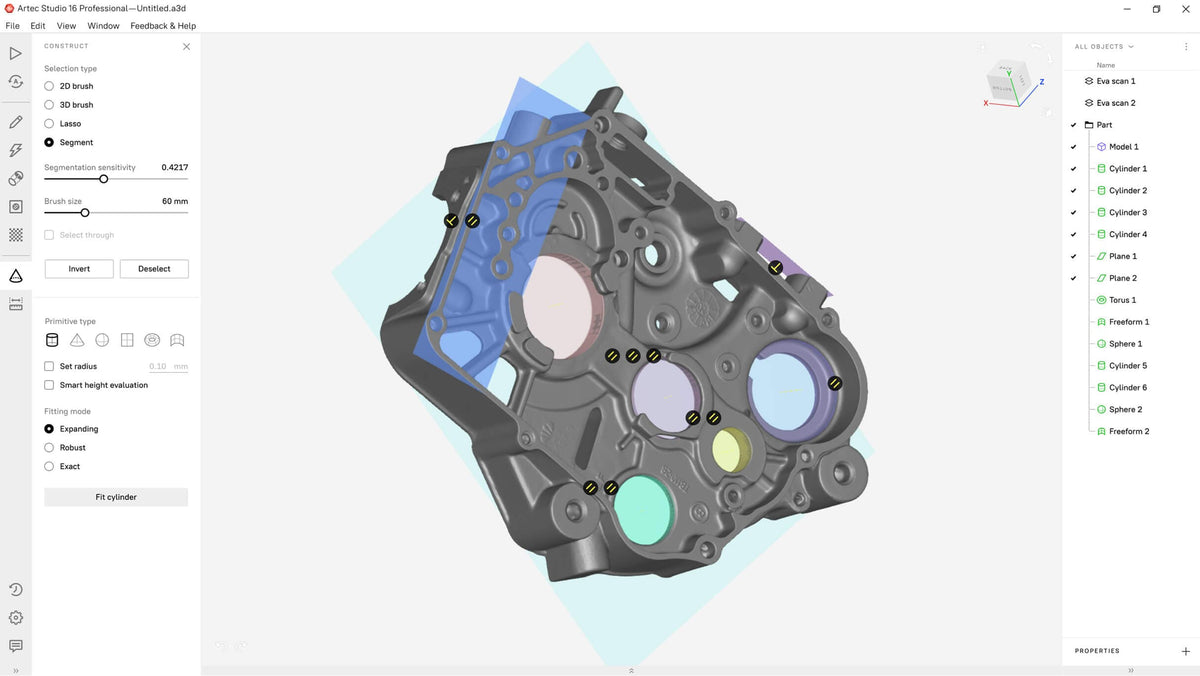
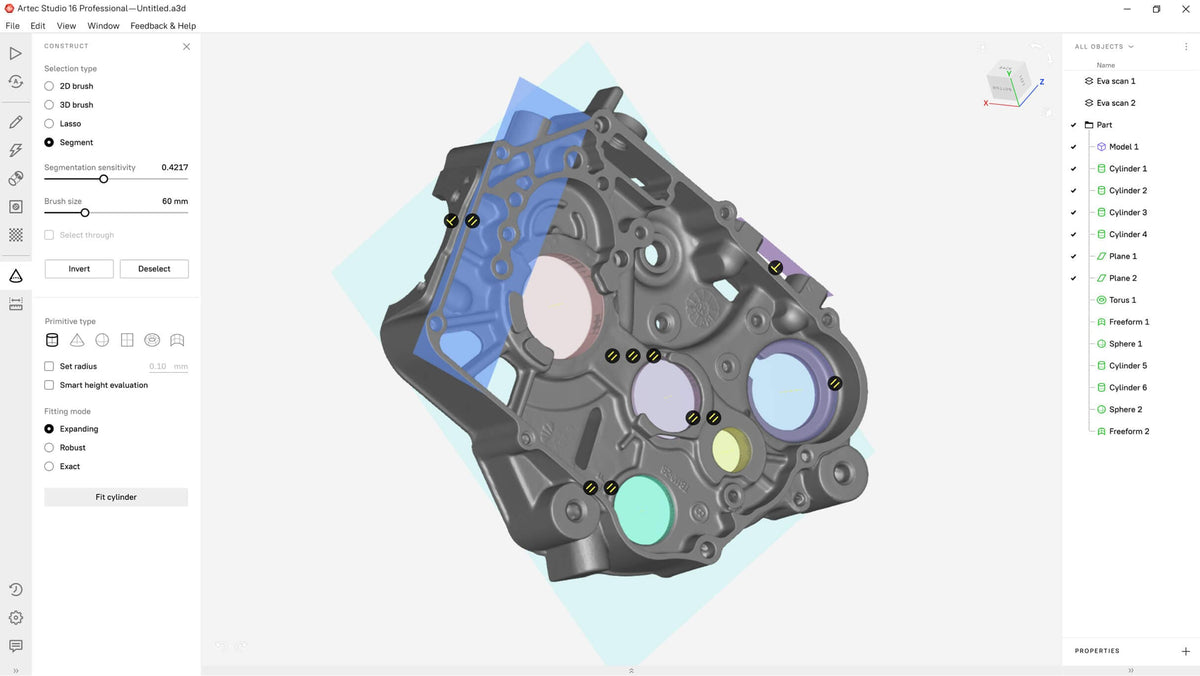
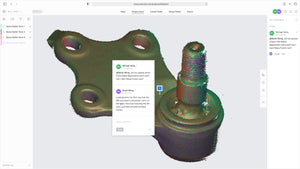
Process Leo scan data for reverse engineering, inspection, CAD workflows, and 3D printing.
1. Scan: Move around the object while monitoring coverage on Leo’s built-in display.
2. Review: Fill in missed areas using real-time visual guidance.
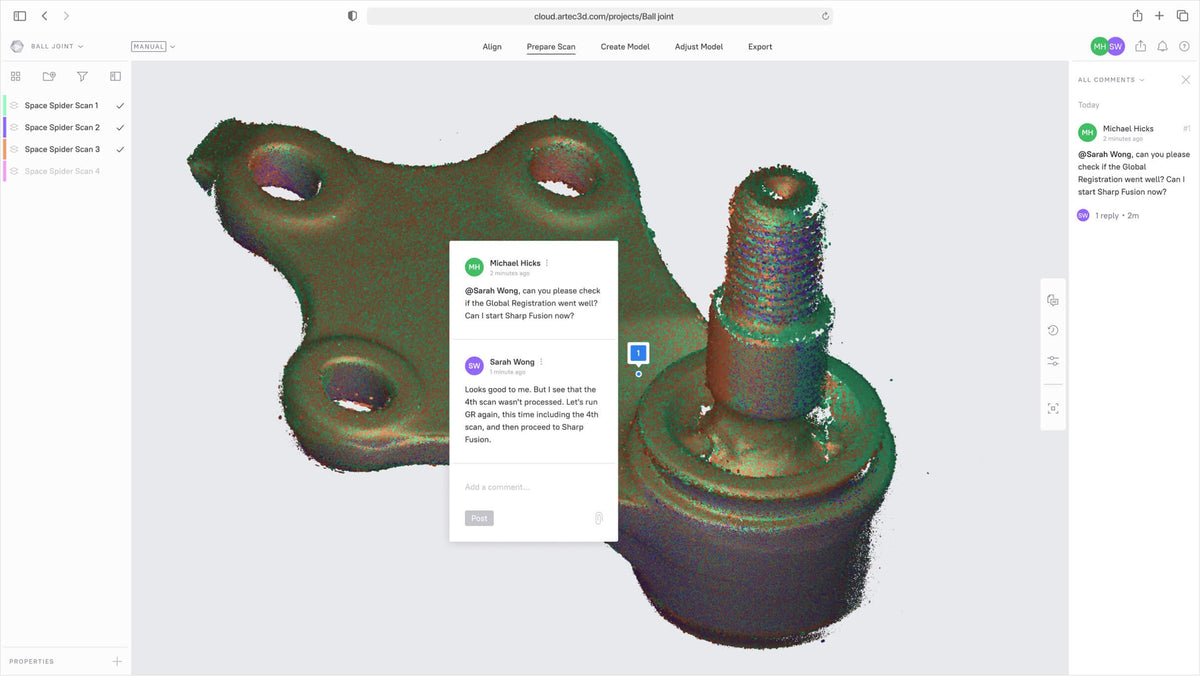
3. Transfer: Move the scan data wirelessly or over Ethernet.
4. Process: Use Artec Studio for alignment, fusion, mesh creation, inspection preparation, and export.
Key specifications for the Artec Leo wireless professional 3D scanner.
| Scanner type | Wireless standalone handheld structured-light 3D scanner |
|---|---|
| 3D point accuracy | Up to 0.1 mm |
| 3D resolution | Up to 0.2 mm |
| Accuracy over distance | Up to 0.1 mm + 0.3 mm/m |
| Working distance | Approximately 0.35 to 1.2 m |
| Volume capture zone | Approximately 160,000 cm³ |
| Real-time fusion | Up to 22 FPS |
| 3D video recording | Up to 44 FPS |
| 3D video streaming | Up to 80 FPS |
| Data acquisition speed | Up to 35 million points per second |
| Texture resolution | 2.3 MP |
| Light source | VCSEL structured light |
| Position sensors | Built-in 9 DoF inertial system |
| Processing | Embedded NVIDIA Jetson TX2 |
| Connectivity | Wi-Fi and Ethernet |
| Storage | 512 GB SSD |
| Power | Built-in exchangeable battery; optional AC power |
| Weight | Approximately 2.6 kg / 5.7 lb |
For organizations seeking a complete long-term package, the Leo Premium Pack adds calibration, additional battery capacity, extended software, warranty, and support coverage.
Two total batteries and a dedicated charger support longer scanning sessions.
Maintain scanner accuracy and verify performance over the life of the system.
Premium configurations can include extended Artec Studio licensing, warranty coverage, and Artec Care.
Rapid Scan 3D is an authorized Artec 3D reseller, Gold Certified Partner, and Artec Ambassador with more than 15 years of professional 3D scanning experience.
Evaluate part size, geometry, accuracy requirements, materials, software, and final deliverables.
See how Leo performs on automotive, manufacturing, inspection, or reverse engineering applications.
Get help with scanning technique, Artec Studio, data processing, inspection, and implementation.
Common questions about Artec Leo accuracy, wireless operation, applications, software, pricing, and the Premium Pack.
Tell Rapid Scan 3D what you need to scan, your object size, required accuracy, workflow, software needs, and final deliverable.
| Technical | Eva | Eva Lite | Space Spider | Leo | Micro | Ray II | Metrology Kit Professional | Metrology Kit Entry |
|---|---|---|---|---|---|---|---|---|
| Scanner type | Handheld | Handheld | Handheld | Handheld | Desktop | Tripod | Mobile | Mobile |
| 3D point accuracy , up to | 0.1 mm | 0.1 mm | 0.05 mm | 0.1 mm | 0.01 mm | 1.9 mm @10 m Angular 18" (0.87 mm @ 10 m) |
0.002 mm + 0.005 mm/m (RMS) 0.003 mm + 0.007 mm/m (3 sigma) |
0.004 mm + 0.006 mm/m (RMS) 0.005 m + 0.009 mm/m (3 sigma) |
| 3D resolution , up to | 0.2 mm | 0.5 mm | 0.1 mm | 0.2 mm | 0.029 mm | 3 / 6 / 12 mm @ 10 m | 30.3 megapixels (6720 × 4480) | 20.2 megapixels (5472 × 3648) |
| 3D accuracy over distance, up to | 0.1 mm + 0.3 mm/m | 0.1 mm + 0.3 mm/m | 0.05 mm + 0.3 mm/m | 0.1 mm + 0.3 mm/m | — | Range noise: 0.4 mm @ 10 m 0.5 mm @20 m |
0.003 mm + 0.007 mm/m (3 sigma) | 0.005 mm + 0.009 mm/m (3 sigma) |
| HD Mode | Yes | No | N/A | Yes | N/A | HDR: Automatic, 5 brackets | N/A | N/A |
| Hybrid geometry and texture tracking | Yes | No | Yes | Yes | N/A | N/A | Targets | Targets |
| Data processing algorithms | Geometry and texture based | Geometry based | Geometry and texture based | Geometry and texture based | Geometry based | Real time registration, Automatic removal of moving objects, Check & Adjust | __ | __ |
| Working distance | 0.4 – 1 m | 0.4 – 1 m | 0.2 – 0.3 m | 0.35 – 1.2 m | — | 0.5 to 130 m | __ | __ |
| Volume capture zone | 61,000 cm³ | 61,000 cm³ | 2,000 cm³ | 160,000 cm³ | 324 cm³ | 360 degrees | 65 × 46° | __ |
| Linear field of view, H×W @ closest range | 214 × 148 mm | 214 × 148 mm | 90 × 70 mm | 244 × 142 mm | — | __ | __ | __ |
| Linear field of view, H×W @ furthest range | 536 × 371 mm | 536 × 371 mm | 180 × 140 mm | 838 × 488 mm | — | __ | __ | __ |
| Angular field of view, H×W | 30 × 21° | 30 × 21° | 30 × 21° | 38.5 × 23° | — | __ | __ | __ |
| Ability to capture texture | Yes | No | Yes | Yes | Yes | Yes | Yes | Yes |
| Texture resolution | 1.3 mp | — | 1.3 mp | 2.3 mp | 6.4 mp | 36 mp | 30.3 mp | 20.2 mp |
| Colors | 24 bpp | — | 24 bpp | 24 bpp | 24 bpp | 432 MPx raw data | 30.3 megapixels (6720 × 4480) | 20.2 megapixels (5472 × 3648) |
| 3D reconstruction rate for real-time fusion, up to | 16 fps | 16 fps | 7.5 fps | 22 fps | — | __ | __ | __ |
| 3D reconstruction rate for 3D video recording, up to | 16 fps | 16 fps | 7.5 fps | 44 fps | — | __ | __ | __ |
| 3D reconstruction rate for 3D video streaming, up to | — | — | — | 80 fps | — | __ | Up to 8 images per second | Up to 4 images per second |
| Data acquisition speed, up to |
18 mln points/s | 2 mln points/s | 1 mln points/s | 35 mln points/s | 1 mln points/s | Up to 2,000,000 pts/sec | ||
| 3D exposure time | 0.0002 s | 0.0002 s | 0.0002 s | 0.0002 s | Customizable | __ | __ | __ |
| 2D exposure time | 0.00035 s | 0.00035 s | 0.0002 s | 0.0002 s | Customizable | __ | __ | __ |
| 3D light source | Flashbulb | Flashbulb | Blue LED | VCSEL | Blue LED | 36 MP 3-camera system captures 432 MPx raw data for calibrated 360° × 300° spherical image | Canon EOS R | Canon EOS 6D |
| 2D light source | White 12 LED array | White 12 LED array | White 6 LED array | White 12 LED array | RGB LED | LiDAR | White-light flash | White-light flash |
| Position sensors | — | — | — | Built-in 9 DoF inertial system | — | Visual Inertial System (VIS), Altimeter, compass, and Global Navigation Satellite System. | ||
| Display/touchscreen | USB streaming through external computer | USB streaming through external computer | USB streaming through external computer | Integrated 5.5" half HD, CTP. Optional Wi-Fi/Ethernet video streaming to external device |
USB streaming through external computer |
Onboard screen | __ | __ |
| Multi-core processing | On external computer | On external computer | On external computer | Embedded processors: NVIDIA® Jetson™ TX2 Quad-core ARM® Cortex®-A57 MPCore Processor NVIDIA Maxwell™ 1 TFLOPS GPU with 256 NVIDIA® CUDA® Cores |
On external computer | On external computer | __ | __ |
| Interface | 1 × USB 2.0, USB 3.0 compatible | 1 × USB 2.0, USB 3.0 compatible | 1 × USB 2.0, USB 3.0 compatible | Wi-Fi, Ethernet | USB 3.0 | Wireless: Integrated wireless LAN (802.11 b/g/n) |
__ | __ |
| Internal hard drive | — | — | — | 512 GB SSD | — | AS256, 256 GB/USB 3.0 flash drive | __ | __ |
| Computer requirements | Visit the Artec Support Center for detailed hardware requirements. |
Visit the Artec Support Center for detailed hardware requirements. |
Visit the Artec Support Center for detailed hardware requirements. |
Visit the Artec Support Center for detailed hardware requirements. |
Visit the Artec Support Center for detailed hardware requirements. |
Visit the Artec Support Center for detailed hardware requirements. |
Visit the Artec Support Center for detailed hardware requirements. |
Visit the Artec Support Center for detailed hardware requirements. |
| Supported OS | Windows 8.1, 10 (x64), Windows 11 | Windows 8.1, 10 (x64), Windows 11 | Windows 8.1, 10 (x64), Windows 11 | Scanning: No computer required Data processing: Windows 8.1, 10 (x64), Windows 11 |
Windows 10 (x64) | Windows 8.1, 10 (x64), Windows 11 | Windows 8.1, 10 (x64), Windows 11 | Windows 8.1, 10 (x64), Windows 11 |
| Recommended computer requirements | Intel Core i7 or i9, 64+ GB RAM, NVIDIA GPU with 8+ GB VRAM, CUDA 6.0+ |
Intel Core i7 or i9, 32 GB RAM, GPU with 2 GB VRAM | Intel Core i7 or i9, 32 GB RAM, GPU with 2 GB VRAM | Intel Core i7 or i9, 64+ GB RAM, NVIDIA GPU with 8+ GB VRAM, CUDA 6.0+ | Intel Core i7 or i9, 64+ GB RAM, NVIDIA GPU with at least 3 GB VRAM, CUDA 3.5+ | Intel Core i7 or i9, 64+ GB RAM, NVIDIA GPU with at least 3 GB VRAM, CUDA 3.5+ | Intel Core i7 or i9, 64+ GB RAM, NVIDIA GPU with at least 3 GB VRAM, CUDA 3.5+ | Intel Core i7 or i9, 64+ GB RAM, NVIDIA GPU with at least 3 GB VRAM, CUDA 3.5+ |
| Minimum computer requirements | HD: Intel Core i7 or i9, 32 GB RAM, NVIDIA GPU with CUDA 6.0+ and at least 2 GB VRAM SD: Intel Core i5, i7 or i9, 12 GB RAM, GPU with 2 GB VRAM |
Intel Core i5, i7 or i9, 12 GB RAM, GPU with 2 GB VRAM | Intel Core i5, i7 or i9, 18 GB RAM, GPU with 2 GB VRAM | HD: Intel Core i7 or i9, 32 GB RAM, NVIDIA GPU with CUDA 6.0+ and at least 4 GB VRAM SD: Intel Core i5, i7 or i9, 32 GB RAM, GPU with 2 GB VRAM A computer is needed only for data processing. Scanning does not require a computer. |
Intel Core i5, i7 or i9, 32GB RAM, GPU with 2 GB VRAM | HD: Intel Core i7 or i9, 32 GB RAM, NVIDIA GPU with CUDA 6.0+ and at least 2 GB VRAM SD: Intel Core i5, i7 or i9, 12 GB RAM, GPU with 2 GB VRAM |
HD: Intel Core i7 or i9, 32 GB RAM, NVIDIA GPU with CUDA 6.0+ and at least 2 GB VRAM SD: Intel Core i5, i7 or i9, 12 GB RAM, GPU with 2 GB VRAM |
HD: Intel Core i7 or i9, 32 GB RAM, NVIDIA GPU with CUDA 6.0+ and at least 2 GB VRAM SD: Intel Core i5, i7 or i9, 12 GB RAM, GPU with 2 GB VRAM |
| Output formats | ||||||||
| 3D mesh | OBJ, PLY, WRL, STL, AOP, ASC, PTX, E57, XYZRGB | OBJ, PLY, WRL, STL, AOP, ASC, PTX, E57, XYZRGB | OBJ, PLY, WRL, STL, AOP, ASC, PTX, E57, XYZRGB | OBJ, PLY, WRL, STL, AOP, ASC, PTX, E57, XYZRGB | OBJ, PLY, WRL, STL, AOP, ASC, PTX, E57, XYZRGB | OBJ, PLY, WRL, STL, AOP, ASC, PTX, E57, XYZRGB | OBJ, PLY, WRL, STL, AOP, ASC, PTX, E57, XYZRGB | OBJ, PLY, WRL, STL, AOP, ASC, PTX, E57, XYZRGB |
| CAD | STEP, IGES, X_T | STEP, IGES, X_T | STEP, IGES, X_T | STEP, IGES, X_T | STEP, IGES, X_T | STEP, IGES, X_T | STEP, IGES, X_T | STEP, IGES, X_T |
| Measurements | CSV, DXF, XML | CSV, DXF, XML | CSV, DXF, XML | CSV, DXF, XML | CSV, DXF, XML | CSV, DXF, XML | CSV, DXF, XML | CSV, DXF, XML |
| Power source and dimensions | ||||||||
| Power source | AC power or external battery pack |
AC power or external battery pack |
AC power or external battery pack |
Built-in exchangeable battery, optional AC power | AC power | Internal Battery 2 × AEB364 internal, rechargeable Li-Ion batteries, up to 4 hours |
Li-ion battery | Li-ion battery |
| Dimensions, H×D×W | 262 × 158 × 63 mm | 262 × 158 × 63 mm | 190 × 140 × 130 mm | 231 × 162 × 230 mm | 290 × 290 × 340 mm | 520 × 430 × 250 mm | 870 × 230 × 170 mm | |
| Weight | 0.9 kg / 2 lb | 0.9 kg / 2 lb | 0.8 kg / 1.8 lb | 2.6 kg / 5.7 lb | 12 kg / 2 | 5.35 kg / 11.7 lbs, | 12 kg / 26.5 lb |